
Aktivace terminálu DX8000
Steps to change payment terminal:
ENSURE YOU ARE CONNECTED TO WIFI: FESTIVAL_5G
- 1Deactivate the device and use a pin code. 260089 At the Blue Launcher settings or Nastaveni
- Send us a list of Serial Number and device number, Such as:
- - 26: 2456MD8V3287
- 27: 2456MD8V3451
- 28: 2414MD8J1891 - Wait for our changes - send us a message.
- Once you receive the QR from us, scan it within 5mins - ensure you scan on the correct device as is the name on the screenshot
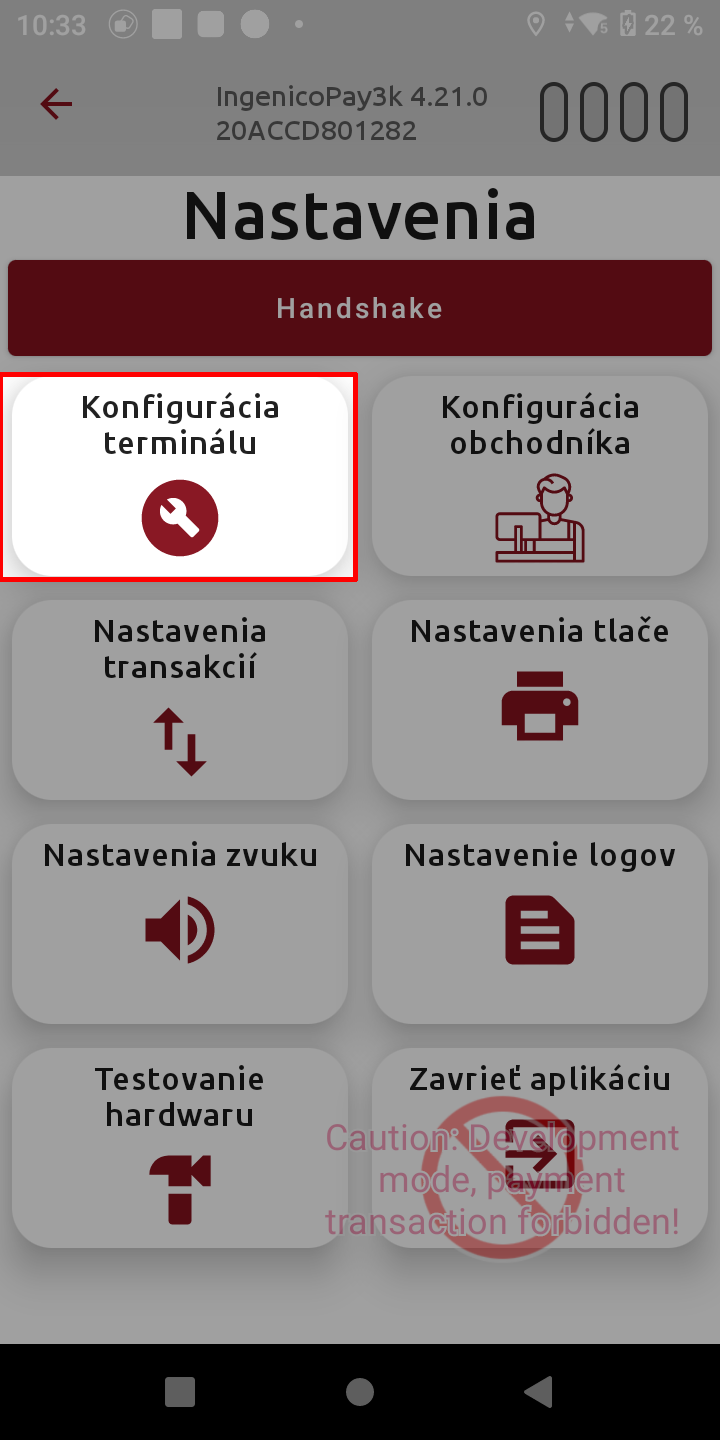
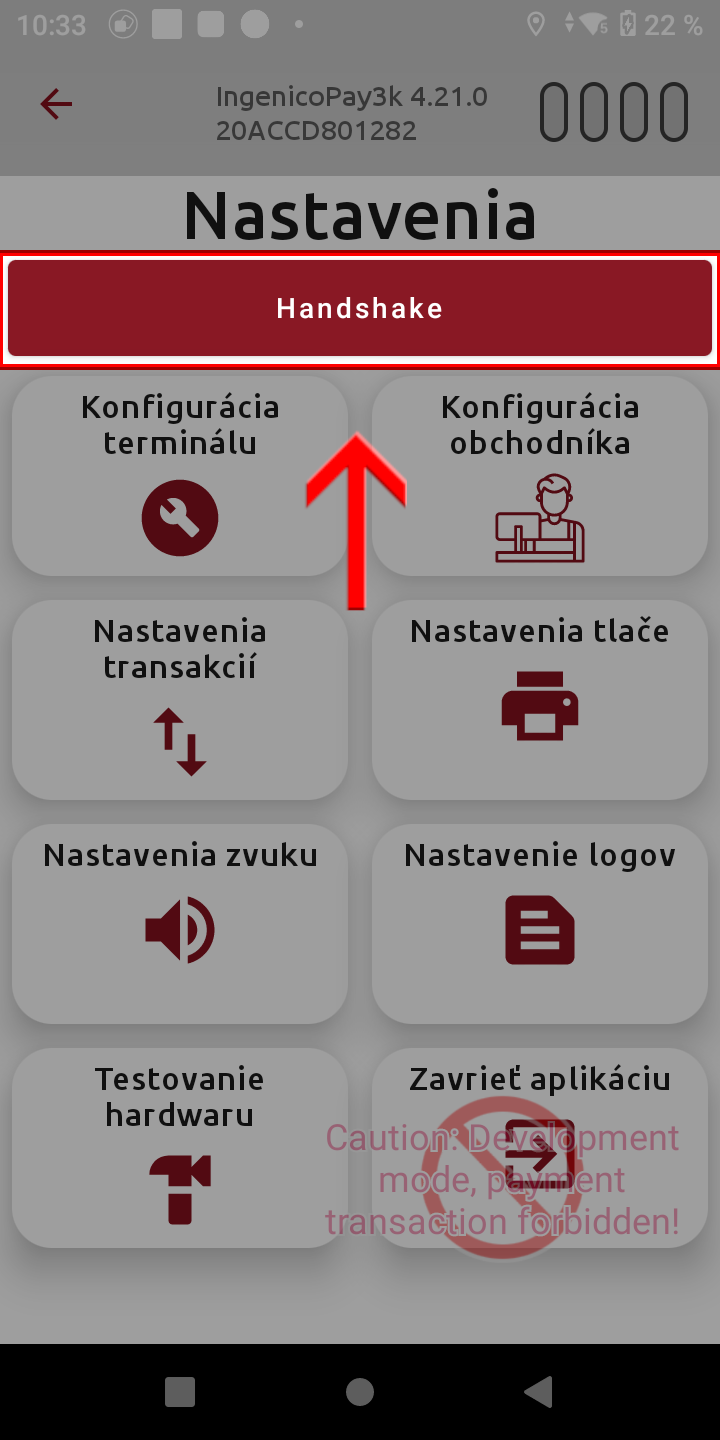
- Open IngenicoPay3k -> Hamburger menu -> Settings (Nastaveni) - Heslo: 360063
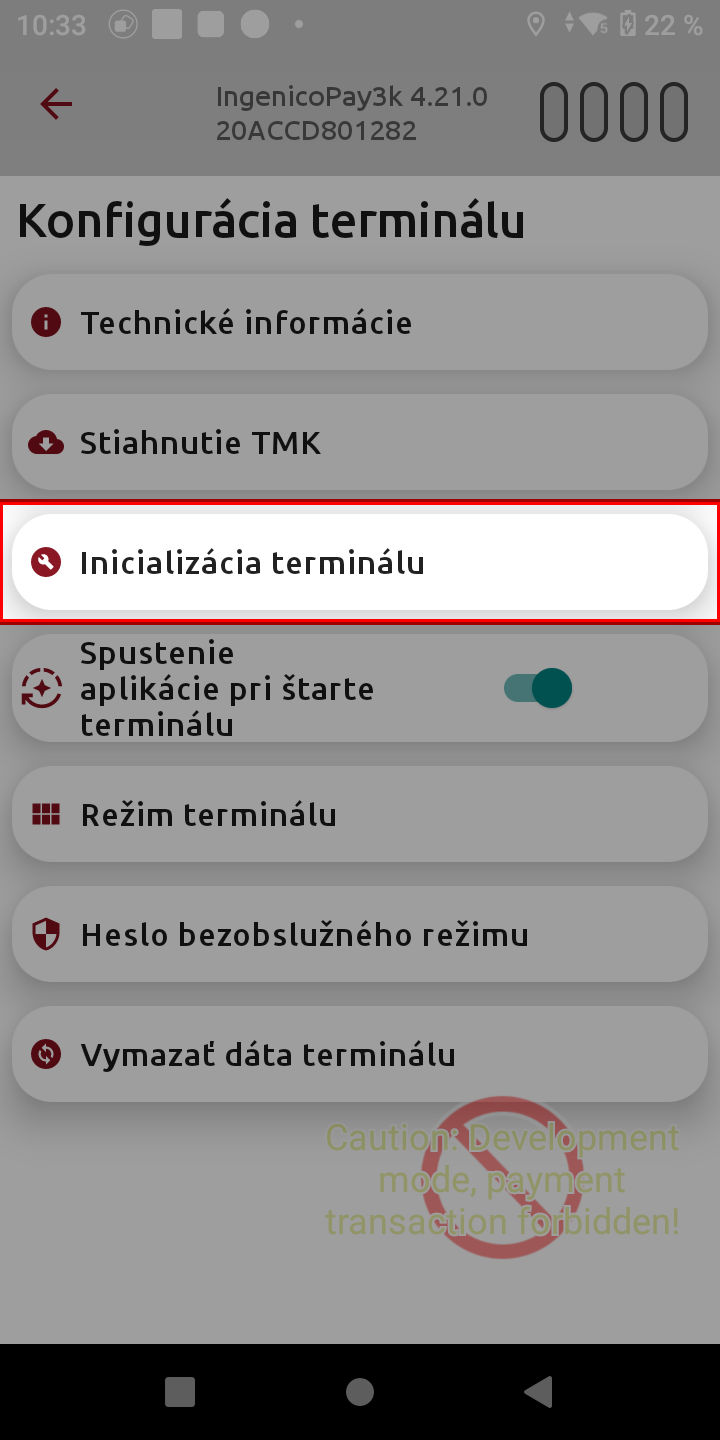
- Konfigurace terminalu -> Inicializace terminalu -> Confirm: Optavdu si prejete stahnout konfiguraci z portalu -> OK
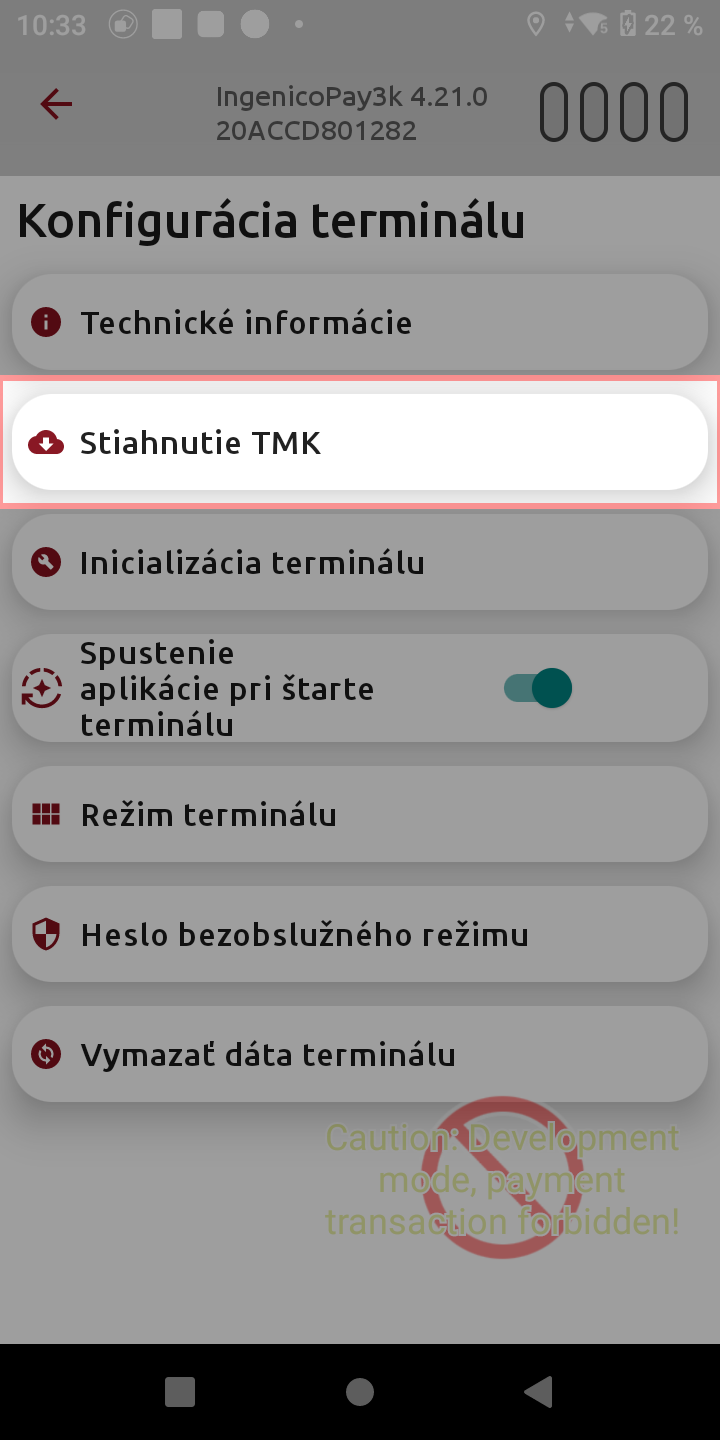
- Open the app again, v Nastaveni -> Konfigurace terminalu -> Stahnutie TMK
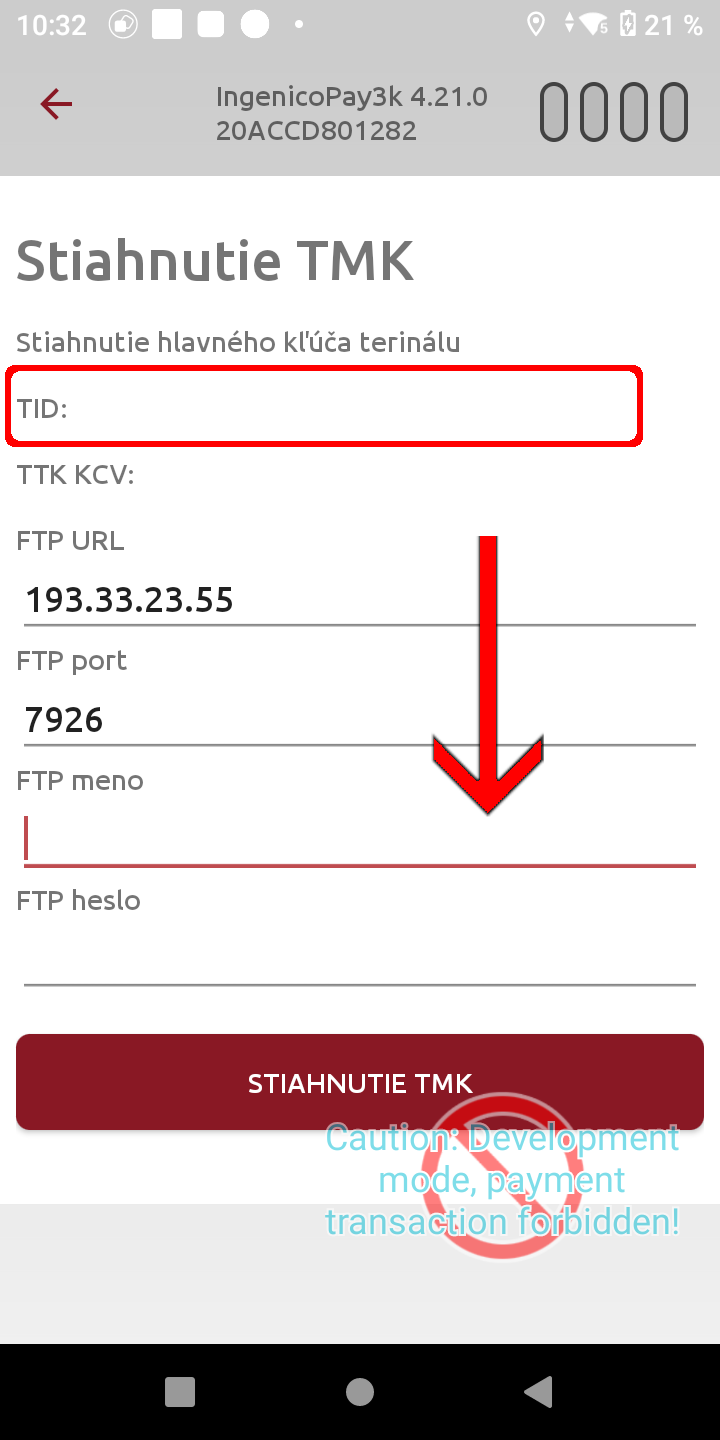
- Enter following into the form:
- TMK:
-------------
FTP URL: 193.33.23.55
FTP Port: 7926
FTP Meno: PG008Bxxxx (same like the TID in the top of the screen)
FTP heslo: truxxxx1
Proces zavedeni v PC3000
- Jakmile dojde boarding file poslat na support@pc3000.sk
- V https://emsystem.pc3000.sk/ zalozit spolecnost v zalozce Spolecnosti - Nová společnost
- Vytvorit pobocku a prodejni misto
- Provest aktivaci zarizeni DX8000 nebo Landi A8S pomoci QR kodu
- Na zarizeni provest inicializaci
- Overit platbu a ve volbe o Aplikaci jaky je TID terminalu